In the gallery, your guests see their photos and download them. You decide how it's shared.
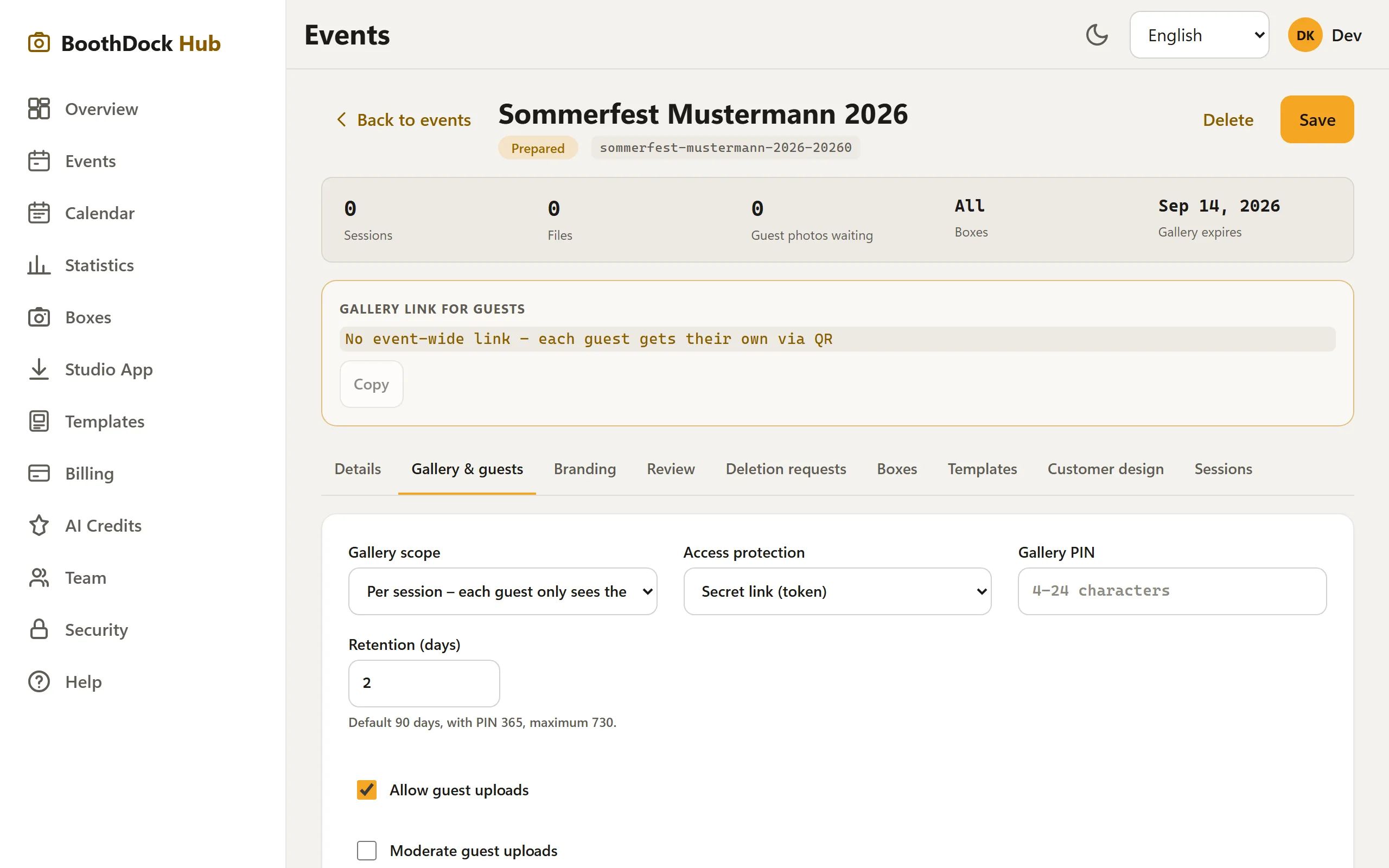
Gallery scope: per session or whole event
In the event, under Gallery & Guests, choose the gallery scope:
- Per session – each guest sees only their own photos. The QR code on the print leads directly to that exact shot. Data-minimal, ideal for most parties.
- Whole event – all guests see all photos. There's then one gallery link for the whole event (at the top of the event under "Gallery link for guests", including a QR code to save).
Sharing
- Per session: The QR code is automatically printed on the photo – the guest scans it and lands in their own gallery.
- Whole event: Copy the event link or save the QR code and display it at the event.
Guest uploads
Optionally, guests may upload their own phone photos to the gallery. On request, only after your moderation (approval), so nothing inappropriate becomes visible immediately.
Retention
Under Retention (days) you set how long the gallery stays reachable. After that it expires automatically.