You know which look you want but have no example picture? With From description you name it in a few words – the AI turns it into the description for a custom AI style.
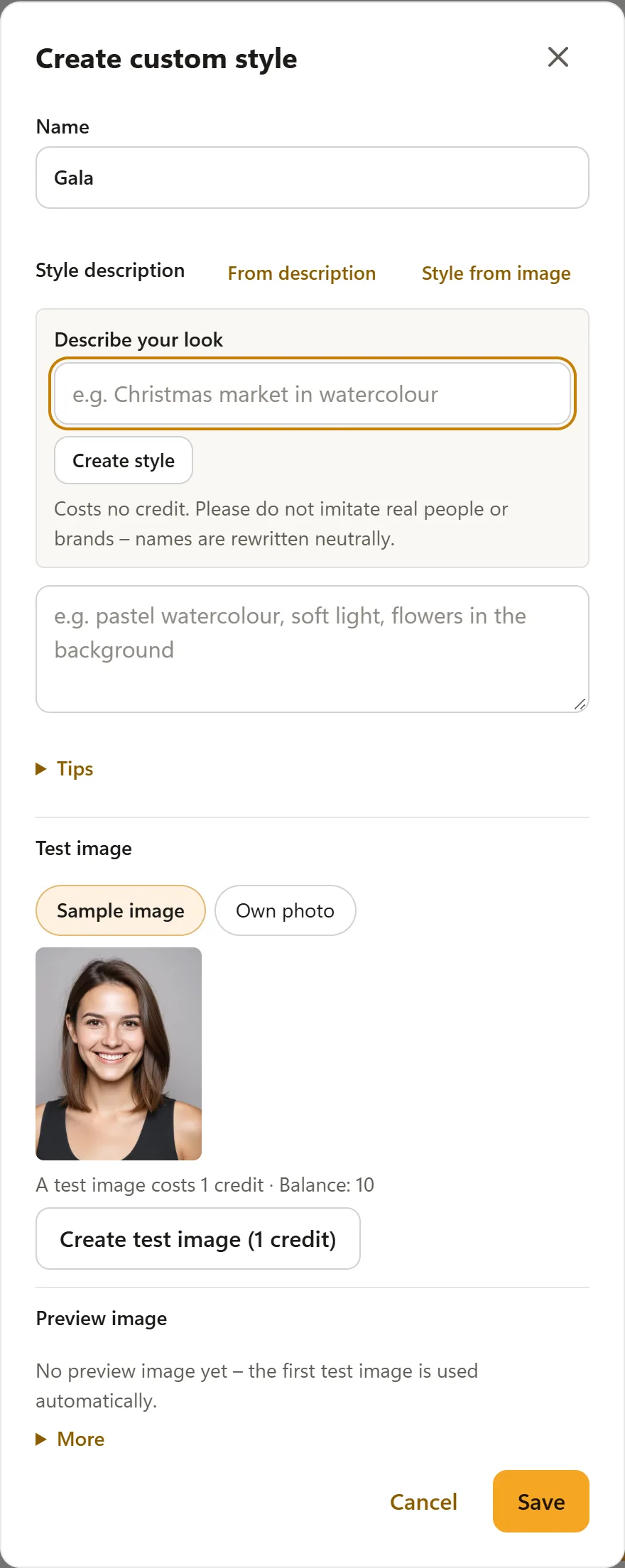
How it works
- In the Hub, open Account → AI Credits and tap Create custom style in the Custom AI styles card.
- Next to Style description, tap From description.
- Under Describe your look, write what you have in mind – for example “Christmas market in watercolour”, “80s comic” or “company colours blue/gold”.
- Tap Create style. The AI fills in a description with technique, colours, light and mood in your language. Check it and adjust it if needed.
- Test the style under Test image and tap Save.
Good to know
- From description costs no credit; a test image costs 1 credit as usual.
- Imitating real people is not allowed. The AI rewrites brand, company and artist names neutrally – a yellow note then appears.
- If the field already contains a description, the Hub asks before replacing it.
- Your wish text is not stored – only the description you save.
See also: Custom AI styles.