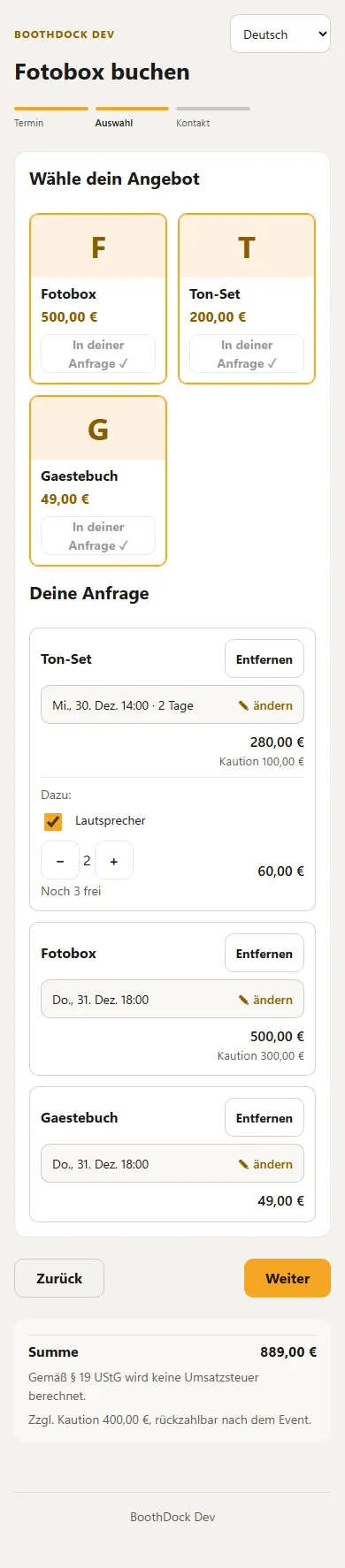
With the cart, your customers put several offers together in one single request, for example a photo booth, a sound set with two speakers and a guestbook. Each item can have its own time. You still receive just one request, with all items, prices and deposits.
Switching it on
Under Bookings → Settings → Booking page & widget open Booking page design and choose Catalogue with cart under How offers are shown, then save. As long as you don't choose it, your booking page stays exactly as before.
How your customer books
- Date: the customer picks date and time, place and number of guests as usual.
- Selection: your offers are shown as tiles at the top, sorted by your groups. Add puts an offer into the request below. Extras that belong to a package appear right under that package to tick, with a quantity.
- Contact: name, e-mail and message as before. Below, every item is listed once more with its time and price before the customer sends.
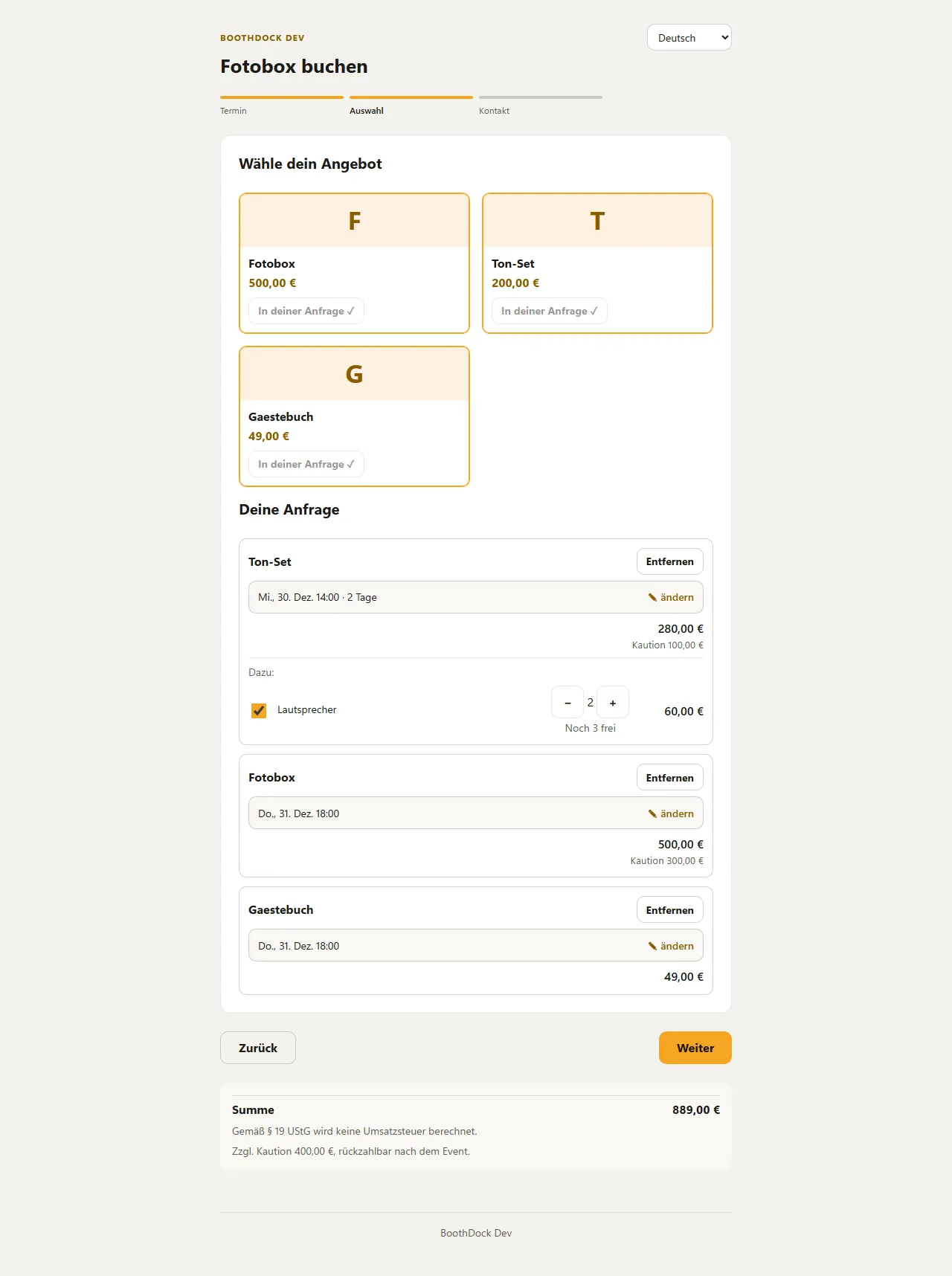
BoothDock checks availability, price and deposit with every change. If an item isn't free at that time, its row is marked and the customer can't continue until they change the time or quantity. For devices in your inventory, the quantity shows “n left”.
Own times per item
Each new item takes over the most recently chosen time, the first item the time from the date step. The time is shown in every row. When the customer taps change, they choose date, duration, start and – if the package allows it – hours for this item only. Extras of a package have no time of their own; they follow their package.

If the customer deliberately leaves a package with a fixed duration on a longer period, the device is booked for the whole time and the price is extended per day – with your Price per additional day, otherwise with the package price per day. The request runs from the earliest to the latest item; this period also applies to the event when you accept.
Settings
Below the view, expand Cart – advanced. Without changes everything stays as described above.
| Setting | Default | Effect |
|---|---|---|
| Allow a separate time per item | on | Off: all items use the date from the first step; the rows have no “change”. |
| Extras not tied to a package can be booked without a package | off | On: the customer can also request extras that aren't tied to a package on their own. |
| Allow the same package several times in one request | off | On: a package can go into the request several times, for example two photo booths. Your inventory still limits what is free. |
| Maximum number of items per request | 20 | 1 to 20 items per request. |
| Minimum order value | – | If the request is below this, the customer can't send it; the hint names the missing amount. Items with “Price on request” don't count. |
| Minimum number of items per request | 1 | The request can only be sent from this number of items on. |
| Allow instant booking in the cart | on | Off: a request from the cart is always a request, even if you otherwise allow instant booking. |
| Show groups as a filter above the offers | off | On: your groups appear as buttons above the tiles; a tap shows only that group. |
| Show the deposit per item in the summary | off | On: the summary shows the deposit for every item, not only in the total. |
| Start time of new items | Most recently chosen time | Always the date from step 1: every new item starts with the date from the beginning, whatever the customer changed last. |
BoothDock also checks these settings when the request is sent, not only on the page.
The page shortens long descriptions in the tiles, to two lines on phones. Tick Show full descriptions in the tiles (also on phones) under How offers are shown and they appear in full in the catalog and in the cart. How the deposit of several items adds up is set under Security deposit for several items.
With Own text above “Your request” you write a short note that appears in the cart above the request, for example that setup and pickup are included. Enter translations right below, as with the other page texts.
You change all texts of the cart – buttons, hints and the error messages in the cart – per language under Customise booking page labels (search for “request” or “cart”).
Price on request
For a package or extra you can tick Price on request. The booking page then shows “Price on request” instead of a price, the summary says “Price follows in the quote”, and the request can't be booked instantly. You enter the price in the quote. This also applies to booking pages without the cart.
A package priced 0 whose price comes from modules or its own extras shows “depends on your selection” on the tile instead of “0.00”. You change the text under Customise booking page labels.
Request, quote and contract
In the Hub, the list of requests shows the main item and “+ n more”, the detail shows every item with quantity, time, price and deposit. The e-mails to you and to the customer list every item. In the quote every item is its own line, with its time in the description. The deposit stays one total amount.
For your contract there is the placeholder {positionen}: it lists all items with time, price and deposit. Put it into your contract text under Settings → Contract, for example under “Rented items”. Existing placeholders such as {paket} and {extras} keep working.
When you accept a request with devices from your inventory, BoothDock assigns each item its devices only for that item's days.