You sign in to the Hub with your email address, and all emails about your account go to it. You can change it yourself at any time – safely in two steps: the switch only happens once you open the link in the email sent to the new address.
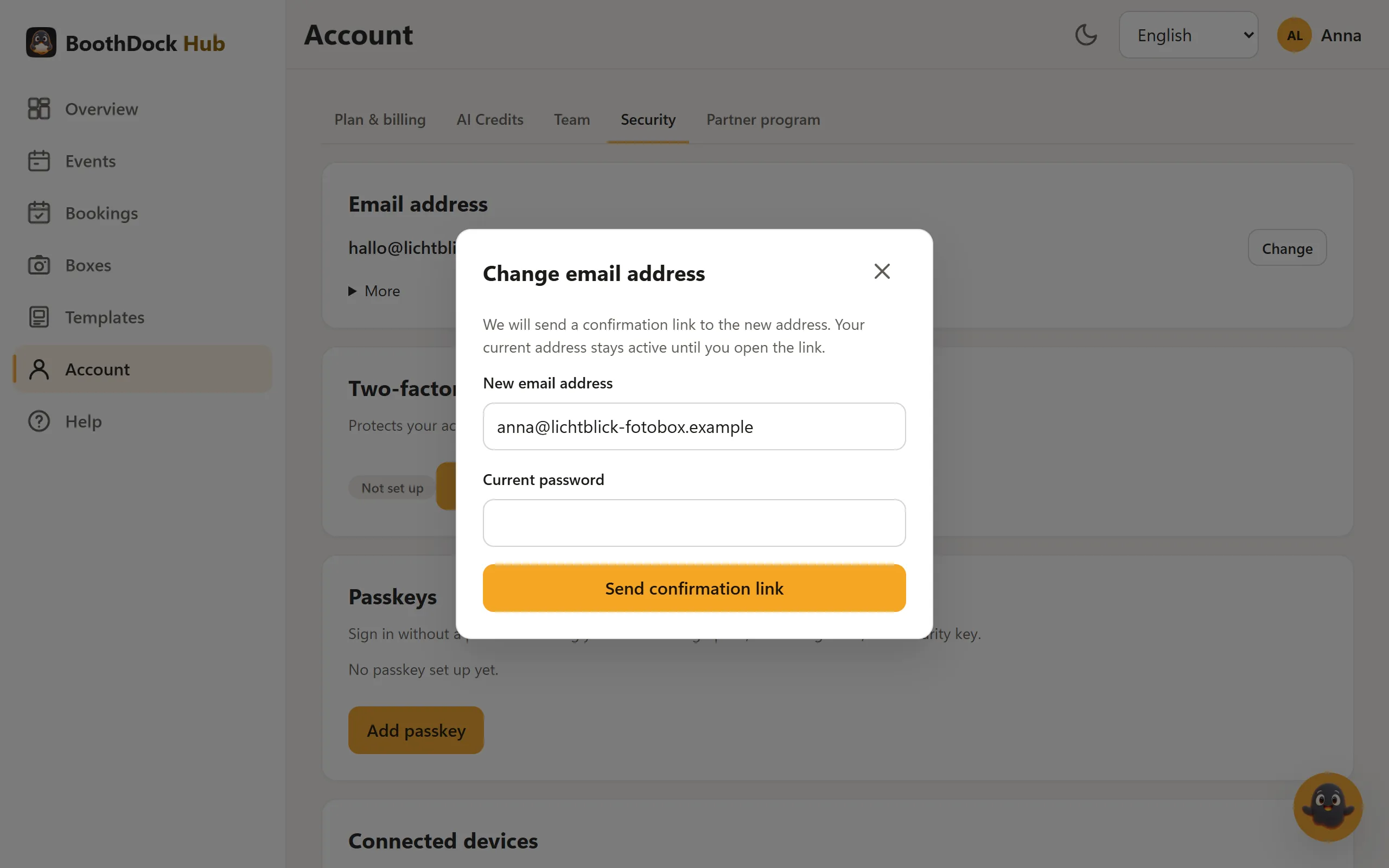
How to change the address
- In the Hub, open Account and then the Security tab. At the very top is the Email address card with your current address.
- Click Change.
- Enter the New email address and your Current password. If you have set up two-factor sign-in, the window also asks for the Code from your authenticator app.
- Click Send confirmation link.
- Open the email sent to the new address and confirm the change there. The link is valid for 24 hours.
If you mistype a well-known provider (for example .con instead of .com), the window suggests the correct address below the field – Use suggestion fills it in.
Until you open the link, your current address stays active. Meanwhile the card shows Awaiting confirmation with the new address; with Cancel change you withdraw the request. A new request replaces an open one – the old confirmation link then no longer works.
What happens next
- After confirming, you sign in only with the new address. All open sign-ins of your account are ended – on other devices too.
- Your password, events, boxes, templates and subscription stay as they are. The address for subscription billing follows automatically.
- Other addresses you entered elsewhere – for example for notifications in the booking module – you change there yourself.
Protecting your account
Your previous address immediately receives a notice with the new address and a link to undo the change. This link is valid for 7 days: before confirmation it cancels the change, afterwards it restores the old address. In both cases all sign-ins of your account are ended. If you did not request the change yourself, use the link and then set a new password.
If the new address is already used by another account, it receives a notice on how to sign in there or reset a password instead of the confirmation link.